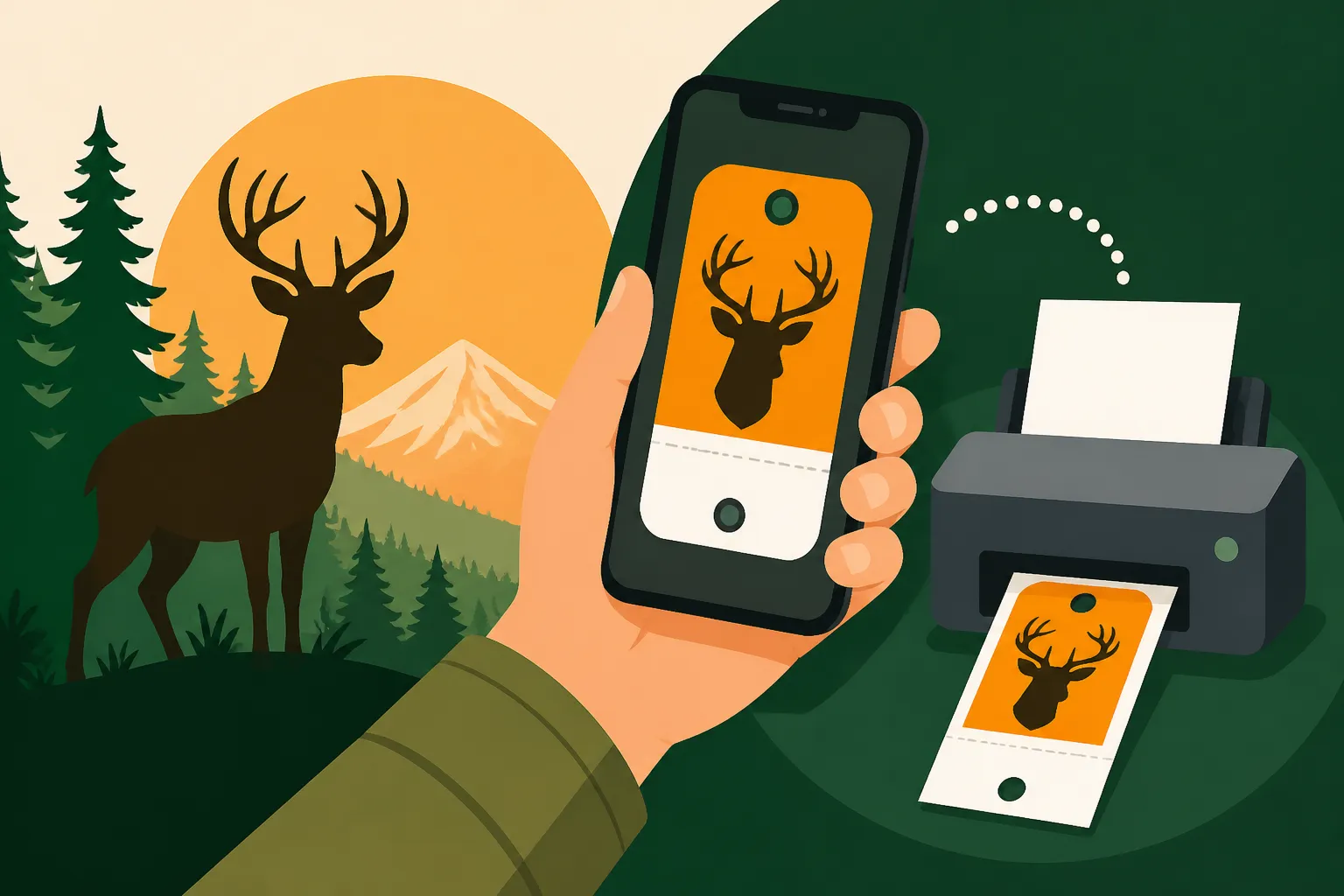
Printing an Oregon Tag From Your Phone
We've all been there: standing in line at a last-minute print shop, frantically searching for a functional printer, or worse, realizing we left our physical hunting tag on the kitchen counter. In the age of smartphones and digital convenience, the thought of needing a paper tag can feel like a relic. This comprehensive guide will walk you through the practical steps of accessing and printing your Oregon hunting tag directly from your phone, ensuring you're always prepared for the field without the last-minute scramble.
The Evolution of Oregon's Digital Tag System
The days of receiving a physical booklet of tags in the mail, hoping they didn't get lost or mangled en route, are largely behind us in Oregon. The Oregon Department of Fish and Wildlife (ODFW) has progressively moved towards a more streamlined, digital approach to licensing and tag issuance. This shift aims to improve efficiency, reduce paper waste, and provide hunters with more immediate access to their credentials. However, this convenience comes with its own set of responsibilities and understanding the system is crucial.
The move to digital wasn't just about convenience; it was also about data accuracy and real-time management. When tags are issued electronically, it simplifies the process for ODFW to track harvest data, manage quotas, and even make in-season regulation changes if necessary. For hunters, it means less waiting and more immediate access once a tag is purchased or drawn.
Oregon's Electronic Licensing System (ELS)
The cornerstone of this digital transformation is Oregon's Electronic Licensing System (ELS). This online portal is your one-stop shop for everything from purchasing your annual hunting license and applying for controlled hunts to printing your tags. If you've hunted in Oregon in recent years, you've likely interacted with the ELS. It replaced older, often cumbersome paper-based systems, offering a centralized database for all your hunting and fishing authorizations.
When you purchase a tag through the ELS, it doesn't automatically get mailed to you. Instead, it becomes available in your online account. This system allows for immediate gratification; once your transaction is complete, your tag is usually available to download and print within minutes. It's also where you'll go to submit your mandatory harvest report later, so familiarizing yourself with the platform is essential. Many hunters also use third-party applications like GoHunt to help with their e-scouting efforts and to cross-reference regulations. While GoHunt is excellent for planning and information, remember that your official tags and licensing functions are handled directly through the ODFW ELS. You can find detailed instructions on how to access and navigate this system in our guide on Oregon's Electronic Licensing System Login.
Understanding Digital Tag Requirements
While the system is digital, there are still specific requirements for how your tag must be presented in the field. ODFW regulations state that hunters must carry their tags, validations, and licenses. For big game tags, specifically, this typically means a physical copy. While you might be able to display your general hunting license on your phone, the big game tag itself, which needs to be immediately validated and attached to a harvested animal, usually requires a printed format. It's a critical distinction.
The tag needs to be legible, complete with all its unique identification numbers, and in a condition that allows for proper validation (notching or punching). It needs to be proof against the elements as much as possible, which is why a laminated or otherwise protected paper copy is often recommended. Simply having the PDF on your phone, while useful for backup, doesn't always meet the legal requirement for display on the animal or for immediate validation in a physical manner. Always check the current year's Oregon Hunting Regulation Pamphlet for the most up-to-date and specific requirements regarding how tags must be carried and validated in the field. Knowing these rules is just as important as understanding Oregon Hunter Education Requirements before you head out.
Step-by-Step Guide to Printing Your Oregon Tag from a Mobile Device
The convenience of modern technology means you can often accomplish tasks that once required a desktop computer, right from the palm of your hand. Printing your Oregon tag from your phone is definitely one of them, whether you're at home, a friend's house, or even a local library.
Accessing Your ODFW Account on Your Phone
The first step is always to log into your ODFW Electronic Licensing System (ELS) account. This process is fairly straightforward, but there are a few things to keep in mind when using a mobile device.
- Open Your Mobile Browser: Use Chrome, Safari, Firefox, or any other web browser on your smartphone.
- Navigate to the ODFW ELS Portal: Type in the official ODFW ELS web address. It's crucial to use the official site to protect your personal information.
- Log In: Enter your customer ID (usually your ODFW ID number) and password. If you’ve forgotten your password, most sites offer a "Forgot Password" option, which usually involves email verification. If you've never logged in before, you might need to register your account first, which typically links to your ODFW ID.
- Desktop Mode (If Needed): Sometimes, mobile versions of websites can simplify the interface to the point of hiding crucial options. If you're having trouble finding your tags, look for a "Request Desktop Site" or similar option in your browser's menu (often found under three dots or lines). This will display the full desktop version, which can make navigation easier, though it might require more zooming and panning on a smaller screen.
It's a good practice to log in and confirm everything is in order well before the Oregon Controlled Hunt Application Deadline or your hunt start date.
Locating and Downloading Your Tag File
Once you’re successfully logged into your ODFW ELS account, you’ll need to find the specific tag you wish to print.
- Find Your Licenses & Tags Section: On your account dashboard, look for a section typically labeled "Licenses & Tags," "My Account," or "Current Authorizations." Click on this to view all your purchased or drawn licenses and tags for the current season.
- Identify the Correct Tag: Scan the list for the specific big game tag you need, such as an elk or deer tag. Each will usually have a unique number and expiration date.
- Download the Tag: Next to each valid tag, there should be a "Print," "Download," or "View PDF" button or link. Tapping this will typically initiate a download of the tag as a PDF file to your phone's default download folder. Make sure your phone has enough storage space, though these files are usually very small. Some phones may ask where you want to save the file. Keep track of the location.
- Open the PDF: Once downloaded, your phone should automatically open the PDF in its default PDF viewer. If not, you may need to navigate to your downloads folder and tap on the file manually. It’s a good idea to inspect the tag to ensure all information (your name, license number, tag details, and validation instructions) is clearly visible and correct. If you use a hunting app like those integrated with GoHunt, you might be able to import the PDF there for easy access, but again, remember the official ODFW PDF is what you need for printing.
Sending to a Printer and Troubleshooting Common Issues
Now for the printing part! This can sometimes be the trickiest step, as it depends on your printer setup.
-
Wi-Fi Printing (Most Common):
- Ensure Connectivity: Make sure your phone and the printer are connected to the same Wi-Fi network. This is critical.
- Use Your Phone's Print Function: With the PDF open on your phone, look for a "Share," "Print," or three-dot/menu icon. This will usually bring up printing options. Select "Print."
- Select Printer: Your phone should scan for available printers on the network. Select your Wi-Fi-enabled printer.
- Print Settings: Adjust settings like number of copies, paper size (standard 8.5×11 is fine), and ensure "Fit to Page" is selected if available, to prevent cutting off crucial information.
- Initiate Print: Tap "Print."
-
Cloud Printing (e.g., Google Cloud Print – though mostly deprecated, alternatives exist): If your printer is connected to a cloud printing service, you might be able to print remotely from anywhere with internet access. Check your printer's manual or manufacturer's website for specific instructions on setting up cloud printing.
-
Email to Print: Some smart printers have a unique email address. You can email the PDF file as an attachment to this address, and the printer will automatically print it. This is a handy option if you're trying to print to a printer not on your current Wi-Fi network, for instance, at a remote camp if it has a cellular hot-spot connected printer.
-
USB On-The-Go (OTG) Printing: If your printer supports USB connections and your phone supports USB OTG (many Android phones do), you can connect your phone directly to the printer using a USB OTG adapter and a standard USB printer cable. You might need a printer app for your phone to facilitate this.
Troubleshooting Common Issues:
- Printer Not Found: Double-check that both your phone and printer are on the same Wi-Fi network. Restarting both devices can sometimes resolve connection issues.
- Print Job Fails: Ensure your printer has paper and ink. Clear any pending print jobs from the printer's queue.
- Text/Images Cut Off: In your phone's print settings, look for "Scale," "Fit to Page," or "Shrink to Fit" options to ensure the entire tag fits on one standard page.
- Poor Quality Print: Check your printer's ink levels. Ensure you're printing in a high-quality setting if available.
Once printed, immediately inspect the tag for clarity and completeness. You want every detail, especially the tag numbers and validation boxes, to be perfectly legible. Consider our advice on Keeping a Bowstring Dry in Coastal Rain – just as you protect your gear, protect your paper tags from the elements.
Important Considerations for Mobile Tag Management in the Field
While printing from your phone offers flexibility, relying solely on your phone for tag management in the field comes with inherent risks. Hunters operate in challenging environments where technology can fail.
Legality and Carrying Your Tag
Oregon regulations are specific about how you must carry your tags. For big game, the expectation is generally a physical, validated tag attached to the animal immediately upon harvest. Having a digital copy on your phone is a fantastic backup and allows for easy reprinting, but it typically doesn't replace the physical tag that needs to be notched and affixed to the carcass.
Imagine this scenario: you're deep in the wilderness, miles from a printer, and your phone battery dies just after you fill your tag. You have no way to get a physical tag, which could lead to a violation. Always ensure you have a physical, printed copy with you in the field. This also applies to other important documents like your Oregon Annual Hunting Licence Cost receipt or proof of hunter education. The convenience of a smartphone should augment, not entirely replace, traditional best practices when it comes to legal requirements.
Battery Life, Durability, and Backup Solutions
Modern smartphones are incredible tools, but their battery life can be fleeting, especially in cold weather or when constantly checking mapping apps (like those you might use for Using the Oregon Hunting Map Online or E-Scouting Oregon Units With Satellite Imagery). Remote areas often lack cell service, forcing your phone to constantly search for a signal, which drains the battery even faster. Dropping your phone in a creek, in the mud, or off a cliff is a very real possibility in rugged Oregon terrain.
Backup Solutions are Non-Negotiable:
- Portable Power Bank: Always carry a fully charged power bank, preferably a rugged, waterproof model, to recharge your phone.
- Waterproof Case: Protect your phone from moisture, which is especially critical in Oregon's wet coastal or mountain environments.
- Physical Map: Never rely solely on your phone for navigation. A good old-fashioned paper map and compass are essential backups.
- Multiple Copies of Your Tag: Print several copies of your tags. Keep one laminated in your wallet, another in your pack, and maybe one in your vehicle.
The Importance of a Physical Backup
Given the potential for technological failures and the explicit regulatory requirements for big game tags, always having a physical, printed backup is paramount. This isn't just about legality; it's about peace of mind. You don't want to spend hundreds, if not thousands, of dollars and countless hours on an Archery Elk Hunting Oregon's August and September Seasons or a deer hunt, only to jeopardize your harvest because of a technicality.
A physical tag, properly printed and protected, ensures that if your phone fails, gets lost, or succumbs to the elements, you can still legally validate and tag your animal. Laminating your tags with a cheap laminator or even clear packing tape can make them much more durable against rain, sweat, and general wear and tear in your pack. Consider it a small investment to protect your much larger hunting investment. This preparation is as crucial as understanding the rules for Reading a Travel Management Area Map Before You Drive.
Planning Ahead: When and Where to Print Your Tags
Proactive planning is the hallmark of a successful and stress-free hunt. This applies just as much to your tags as it does to your gear, scouting, and physical conditioning. Don't wait until the night before opening day to think about printing your tags.
Home Printing vs. Commercial Services
You have a couple of primary options for getting your tags printed, each with its own pros and cons.
Home Printing:
- Pros: Convenience, privacy, no cost beyond your own printer supplies. You can print multiple copies easily. You have full control over the process and can ensure quality.
- Cons: Requires owning a printer, paper, and ink. Printers can jam, run out of ink, or break down at inconvenient times. Quality can vary depending on your printer.
- Best For: Hunters who have a reliable home office setup and want complete control over their documents. It’s ideal for printing things like a list of Oregon Hunting Licenses and the Sports Pac items, or detailed maps from GoHunt.
Commercial Printing Services: (e.g., Staples, FedEx Office, local print shops, sometimes even public libraries)
- Pros: Professional-quality prints, often on heavier paper. No need to own a printer or worry about supplies. Staff can often help if you're having trouble. Available even if you're away from home.
- Cons: Can be more expensive, especially if you need many copies. Less privacy for sensitive documents. Requires travel and operating within business hours. May have lines during peak times.
- Best For: Hunters who don't own a printer, are traveling, or need guaranteed high-quality prints. If you need a waterproof option, many of these places offer laminating services as well.
Avoiding Last-Minute Scrambles
The single most important piece of advice regarding your hunting tags is to prepare well in advance. "Last minute" and "hunting success" rarely go hand-in-hand. Imagine the frustration of realizing your printer is out of ink at 10 PM the night before your hunt, with all print shops closed. Or, arriving at a remote trailhead only to find you forgot your tags entirely.
Here’s a simple checklist to avoid the scramble:
- Purchase/Draw Tags Early: As soon as your tags are available after the draw or purchase, download them.
- Print Multiple Copies: Print at least 2-3 copies of each tag.
- Protect Your Tags: Laminate them, use clear packing tape, or place them in heavy-duty zip-top bags to waterproof them.
- Store Tags Securely: Keep one copy in your wallet, one in your hunting pack, and one in your vehicle's glove compartment.
- Review Regulations: Before heading out, quickly review the current year's Oregon Hunting Regulations, especially concerning Oregon's 300-Foot Rule Beside an Open Road and harvest reporting details, such as the Oregon Harvest Report Deadline in January. Even if you're confident in your knowledge, a quick refresher never hurts.
- Digital Backup: Keep the PDF files stored on your phone and backed up to a cloud service (Google Drive, Dropbox, iCloud) or an external drive, just in case.
By taking these steps, you eliminate one major source of pre-hunt stress and ensure that when the moment of truth arrives, you're focused on the hunt, not on a missing or unprintable tag.
Comparison of Tag Management Methods
To help visualize the pros and cons, here's a quick comparison of different ways to manage your Oregon hunting tags.
| Method | Pros | Cons | Recommended Use |
|---|---|---|---|
| Printed Physical Tag | Meets legal requirements, durable (if protected), no battery needed. | Can be lost/damaged, requires printer access, must be carried. | Primary Method: Always carry a protected, physical copy for all big game hunts. |
| Digital PDF on Phone | Easy access for reprinting, quick download, convenient backup. | Does not meet legal validation requirements for big game, relies on battery/phone functionality, no physical attachment. | Backup & Reference: Great for reprinting, checking tag details, and as a digital backup in case the physical tag is damaged. |
| Email/Cloud Storage | Ultimate backup, accessible from any internet-connected device. | Requires internet access to retrieve, not suitable for immediate field use. | Long-term Backup: Ensures you can always retrieve your tag PDF, even if your phone is lost or damaged. |
Disclaimer
The information provided in this guide is for general informational purposes only and does not constitute legal advice. Hunting regulations in Oregon can change. It is the hunter's responsibility to consult the current year's Oregon Department of Fish and Wildlife (ODFW) hunting regulations pamphlet and comply with all applicable state and federal laws. Always refer to the official ODFW resources for the most accurate and up-to-date information regarding licensing, tags, and hunting requirements.