Buying an Oregon Licence Online
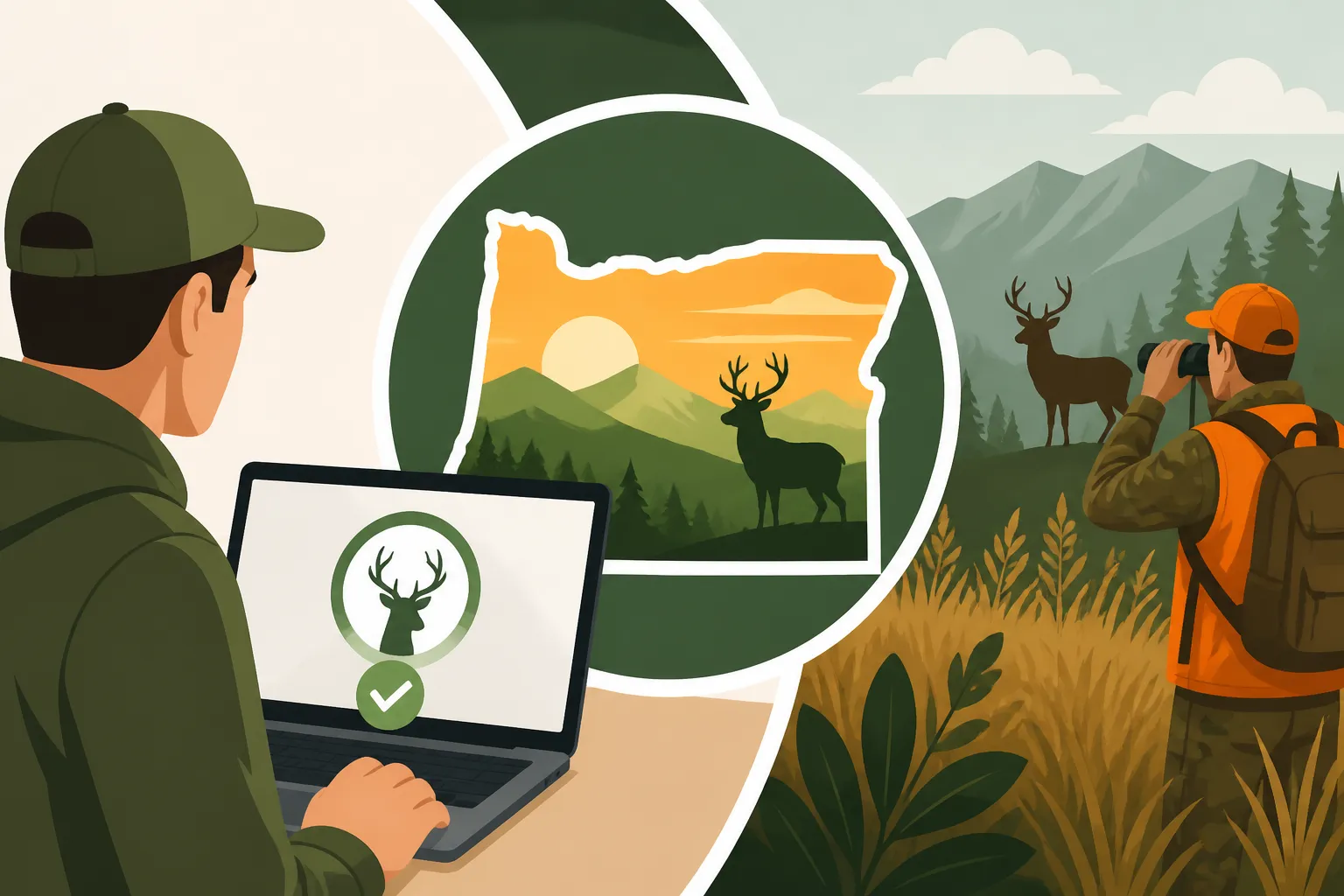
Navigating the labyrinthine world of hunting licenses can feel like a hunt in itself, especially when you're trying to figure out how to buy your Oregon license online. It's easy to get frustrated with digital systems that aren't always intuitive, or to worry you'll miss a crucial step or deadline. This comprehensive guide is here to demystify the entire process, walking you through everything you need to know to successfully purchase your Oregon hunting license and tags from the comfort of your home.
Getting Started: Setting Up Your Online Account with ODFW
The very first hurdle for many hunters, particularly those new to Oregon or returning after a break, is simply getting logged into the Oregon Department of Fish and Wildlife (ODFW) online licensing system. This isn't just a simple website; it's a portal to all your hunting history, preference points, and future tag purchases. Without a solid foundation here, the rest of the process can feel like guesswork.
Creating or Accessing Your ODFW ID
For first-time hunters in Oregon, your journey begins with creating an ODFW ID. This unique identification number is your key to everything. Think of it like your personal hunting social security number. You’ll be asked for basic information such as your name, address, date of birth, and usually, your driver's license number. It’s critical to enter this information accurately, as any discrepancies can cause headaches down the line when it comes to matching your hunter education records or previous purchases.
If you’ve hunted in Oregon before, even if it was years ago, chances are you already have an ODFW ID. The trick is remembering it, or at least the email address associated with it. The system is designed to prevent duplicate IDs, so if you try to create a new one with existing personal information, it might prompt you to recover your old account. Often, a forgotten password recovery is all it takes. You'll typically enter your ODFW ID or the email address linked to your account, and a password reset link will be sent. It's a good idea to keep a record of your ODFW ID in a safe place once you've successfully logged in, maybe even in your hunting pack's emergency kit, so you're not scrambling when the next application deadline looms.
Hunter Education Requirements Verification
Oregon takes hunter education seriously, and rightfully so. Before you can purchase most big game or even some general hunting licenses, the system needs to verify that you’ve completed an approved hunter education course. This is where things can sometimes get sticky. If you completed your course in Oregon, it should automatically link to your ODFW ID. However, if you took your hunter education in another state, you might need to manually submit proof to ODFW before your online account will allow you to purchase certain tags.
Always make sure your hunter education certificate number is correctly associated with your ODFW ID. Sometimes, out-of-state certificates need a little extra time to be processed and officially recognized by Oregon's system. Don't wait until the last minute to verify this, especially if you're eyeing a specific controlled hunt application like those detailed in Oregon Controlled Hunt Application Deadline. If there's an issue, ODFW customer service can help, but they're often swamped closer to major deadlines.
Navigating the ODFW Electronic Licensing System
Once you're logged in and your hunter education is verified, the real fun begins: actually buying your license and tags. The ODFW's online system, while robust, can still present a few quirks for the uninitiated. Understanding its layout and common workflows will save you a lot of time and potential frustration.
Step-by-Step Purchase Process
After logging into your ODFW account at MyODFW.com, you'll typically see a dashboard. Look for an option like "Buy Licenses/Tags" or "Purchase Items." This will take you to the main store. Here, you'll find a bewildering array of options: annual hunting licenses, fishing licenses, combination packages like the Oregon Sports Pac and What It Covers, individual tag options for deer, elk, bear, cougar, and various bird validations.
When you select a hunting license, such as the general annual hunting license, it will automatically be added to your cart. Then, you can proceed to select specific tags. For instance, if you're planning for elk season, you'll navigate to the elk tags section and choose between a general season tag or, if you've been successful in the draw, a controlled hunt tag. The system is usually smart enough to only show you options you're eligible for, based on your age, residency, and whether you've already applied for certain hunts. Be sure to double-check the species and hunt area before adding it to your cart. A quick tip: for non-residents, understanding the nuances of Oregon Nonresident Tag Cost for Deer and Elk can help you budget before you even click.
Understanding Application and Point Purchase Windows
One of the most crucial aspects of Oregon hunting, especially for big game, involves preference points and controlled hunt applications. The online system is where you manage all of this. There are specific windows each year for applying for controlled hunts and for simply purchasing preference points without applying for a tag, as highlighted in Oregon Preference Point Purchase Window. For instance, the main application period for deer, elk, pronghorn, and other species typically runs from December through May 15th. During this time, you'll select your first, second, and third choices for controlled hunts.
If you miss the application deadline but still want to build points for future years, you can usually buy a preference point during a separate, later window. This is a smart strategy for popular hunts where point creep is a factor. The ODFW system provides a clear pathway to either apply for a hunt or just purchase a point. Just ensure you’re selecting the correct option; an accidental tag purchase when you only wanted a point can't always be easily undone. Many hunters use external tools like those offered by GoHunt to research draw odds and strategies, which can then guide their choices in the ODFW system.
What You Can Purchase and Manage Online
The ODFW online system isn't just for your basic hunting license; it's a full-service portal for almost everything you need to hunt in Oregon. From specific species tags to various validations and even managing your draw applications, it's designed to be your one-stop shop.
Licenses, Tags, and Validations
The breadth of what's available online is impressive. You can purchase your standard Oregon Annual Hunting Licence Cost for residents, or the appropriate non-resident license. Beyond that, you'll find:
- Big Game Tags: This includes general season deer and elk tags, as well as controlled hunt tags if you've drawn one. Specific tags like Oregon Bear Tag Cost and Oregon Cougar Tag Cost are also available.
- Small Game and Bird Validations: For upland birds like pheasants, quail, and grouse, or waterfowl, you'll need the appropriate validations. These are easily added to your cart alongside your main hunting license. Oregon Turkey Tag Cost can also be purchased here.
- Combination Packages: The Sports Pac is a popular choice for many Oregon residents, offering a bundled discount for hunting, fishing, and shellfish licenses, plus a combination tag for deer/elk, and more. This saves money and streamlines the purchase process. You can learn more about What the Oregon Sports Pac Includes.
The process usually involves adding each desired item to your shopping cart, much like any online retail experience. You'll review your selections, and then proceed to payment.
Application Management and Preference Points
Beyond direct purchases, the online system is central to managing your application history and preference points. You can:
- Submit Controlled Hunt Applications: As mentioned, this is where you'll make your choices for those coveted controlled tags. The system allows you to select your unit and weapon choice (e.g., archery, rifle, muzzleloader), and rank your preferences.
- Check Draw Results: When draw results are released (usually in June), you'll log into your account to see if you were successful. This is often an anxious but exciting moment for many hunters.
- View Preference Point History: You can track how many preference points you’ve accumulated for each species, helping you plan for future hunts. This data is invaluable, especially if you're targeting high-demand units. Many hunters cross-reference this with data from platforms like GoHunt to make informed decisions about where to apply.
- Purchase Points Only: If you decide not to apply for a tag in a given year, you can use the system to simply purchase a preference point, ensuring you keep building towards those harder-to-draw hunts.
Troubleshooting Common Online Licensing Problems
Even the most seasoned online shoppers can hit a snag when dealing with government websites. Oregon's ODFW system is generally reliable, but encountering an issue can be frustrating, especially with deadlines looming. Being prepared for common problems can save you a lot of grief.
Technical Glitches and Payment Issues
One of the most common frustrations is technical glitches. Sometimes, the website might be slow, especially on peak days leading up to major application deadlines. Other times, a payment might not go through, or you might encounter an error message.
- Website Slowdown: If the site is unusually slow, consider trying again during off-peak hours (early morning or late evening). Browser cache issues can also cause problems, so clearing your browser's cache and cookies or trying a different browser (Chrome, Firefox, Edge, Safari) can sometimes help.
- Payment Declines: If your payment is declined, first double-check that you've entered your credit card information correctly, including the expiration date and security code. Ensure you have sufficient funds or credit available. Some banks flag large online purchases from government sites as potential fraud, so a quick call to your bank or credit card company might be necessary to pre-authorize the transaction. Remember, your transaction isn't complete until you receive a confirmation number.
- Confirmation Emails: Always wait for a confirmation email. If you don't receive one shortly after your purchase, check your spam folder. If it's still missing, log back into your ODFW account to confirm the purchase is reflected in your history. It’s important to note that your receipt and tag are often two separate documents, so make sure you understand the difference for future reference.
Account Lockouts and Data Discrepancies
Another common issue arises with account access or personal data. Getting locked out of your account or finding that your information isn't quite right can halt your purchasing process.
- Forgotten Passwords/Usernames: The system has clear links for "Forgot Password" or "Forgot ODFW ID." Use these first. They'll typically send recovery information to the email address associated with your account. Ensure that email address is current and accessible.
- Data Mismatches: If your name, date of birth, or hunter education number doesn't match ODFW's records, the system might block your purchase or application. This is particularly common if you've had a name change, moved, or if there was a typo when your original account was created. In these cases, you'll likely need to contact ODFW customer service directly. They can help correct discrepancies, but be prepared to provide documentation to verify your identity and information. This can also happen if your hunter education certificate needs to be manually entered, which is a common scenario if you completed your Oregon Hunter Education Requirements in another state.
Tips for a Smooth Online Experience
To avoid the headaches and ensure you're ready for the season, a little preparation goes a long way. Think of it as scouting for your licensing process – the more you know before you go, the smoother the journey will be.
Prepare in Advance and Double-Check Everything
Don't wait until the day before a major deadline to try and buy your license or apply for a controlled hunt. This is when the system is under the heaviest load, and you're most likely to encounter delays or technical issues.
- Gather Information: Before you even log in, have all necessary information at hand: your ODFW ID, password, hunter education number, current address, and payment method details. If you're buying for someone else (like a youth hunter), have their information ready too.
- Review Regulations: Familiarize yourself with the current Oregon Big Game Regulations. This helps you understand what tags you need, the seasons, and any specific unit regulations. Many hunters consult online resources or their GoHunt subscriptions for this information well in advance.
- Verify Account Access: A week or two before you plan to make a purchase or apply, log into your ODFW account just to ensure you remember your login details and that your hunter education is still correctly linked. This "dry run" can save you frantic phone calls later.
Printing and Carrying Your Documents
Once your purchase is complete, the final, crucial step is ensuring you have valid proof of your license and tags in the field. Oregon has specific rules about what constitutes a valid document.
- Print Your Tags: While you can easily log in to the Oregon Electronic Licensing System Login to view your purchases, many hunters prefer to have physical tags. You can typically print your license and tags directly from your ODFW account after purchase. Make sure you use durable paper or laminate them, especially if you're heading into the wet coastal timber. Remember the nuances of Printing an Oregon Tag From Your Phone – while convenient for proof, a physical tag is essential for validating kills.
- Carrying in the Field: Oregon regulations require you to carry proof of your valid hunting license and tags while hunting. For big game, this usually means having the actual tag to validate immediately upon harvest. It's not enough to just show it on your phone; you need the physical tag to notch and attach to the animal. Always confirm the latest regulations regarding electronic versus physical proof of licensing.
Remember, a little proactive planning can turn what might feel like a bureaucratic headache into a quick, simple step in preparing for your next Oregon hunting adventure.
Disclaimer
Please remember that hunting regulations can change. While this guide provides current information, it is always your responsibility to consult the official Oregon Department of Fish and Wildlife (ODFW) regulations pamphlet and website for the most up-to-date rules, deadlines, and requirements before purchasing licenses, tags, or heading into the field.